Taper le mauvais code plusieurs fois de suite et voir apparaître « iPhone désactivé » provoque toujours un petit pic de panique. Bonne nouvelle : il existe plusieurs façons de retrouver l’accès à son téléphone, que l’appareil ait déjà été synchronisé avec un ordinateur ou non. Voici la marche à suivre selon votre situation, sans complication inutile.
La réponse directe : pour déverrouiller un iPhone sans son code d’accès, il faut passer par une réinitialisation via iTunes (ou le Finder sur Mac), via iCloud avec l’option Localiser mon iPhone, ou via le mode de récupération / mode DFU si aucune synchronisation n’a jamais eu lieu. Dans tous les cas, l’opération efface l’iPhone : les données ne sont récupérables que s’il existe une sauvegarde préalable.
Les solutions officielles pour déverrouiller un iPhone sans code
Apple a prévu deux chemins principaux pour ce genre de mésaventure, selon que l’appareil a déjà été connecté à un ordinateur ou relié à un compte Apple ID via iCloud. Ces deux méthodes reposent sur un principe identique : effacer l’iPhone pour supprimer le verrouillage, puis restaurer une sauvegarde si elle existe.
Réinitialiser via iTunes ou le Finder (Mac)
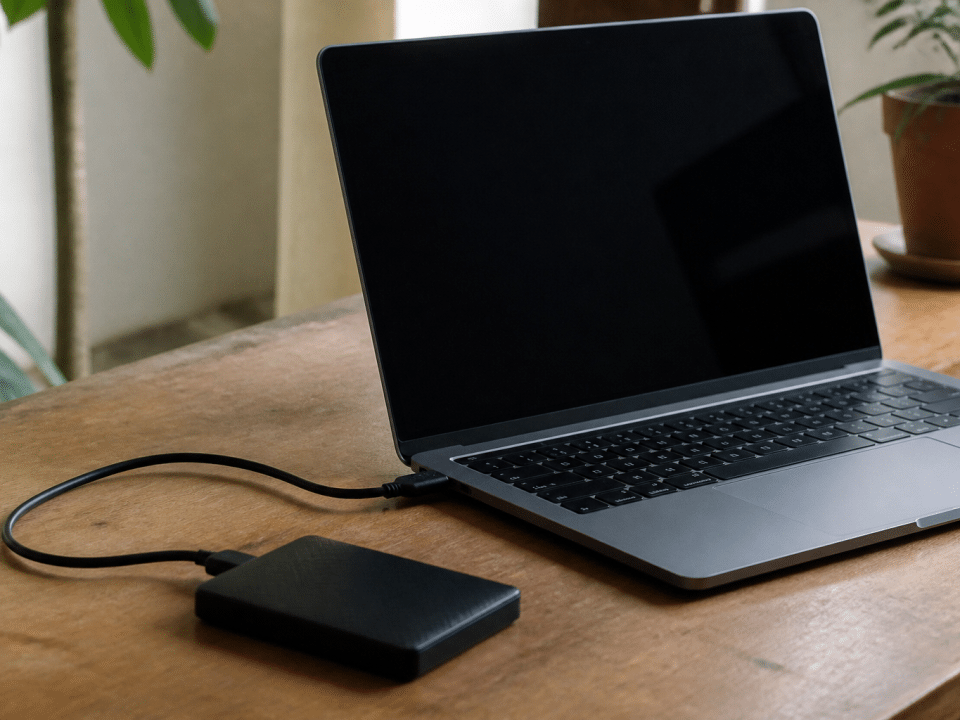
Si l’iPhone a déjà été synchronisé avec un ordinateur, c’est souvent la méthode la plus simple. Sur PC ou Mac équipé d’une ancienne version de macOS, ouvrez iTunes. Sur un Mac récent, utilisez le Finder, qui a remplacé iTunes pour la gestion des appareils.
Connectez l’iPhone à l’ordinateur avec un câble, puis forcez un redémarrage en mode de récupération : maintenez le bouton latéral et l’un des boutons de volume jusqu’à voir apparaître l’écran de connexion à un ordinateur. iTunes ou le Finder détecte alors l’appareil et propose de le restaurer. Validez la restauration : le code d’accès, ainsi que toutes les données, disparaissent. Si une sauvegarde récente existe sur cet ordinateur, vous pourrez ensuite la réinjecter pour retrouver photos, contacts et applications.
Effacer l’iPhone via iCloud (Localiser)
Sans ordinateur sous la main, la fonction Localiser peut suffire, à condition que cette option ait été activée avant l’oubli du code (une situation proche de celle où l’écran tactile d’un téléphone ne répond plus pour le déverrouiller). Rendez-vous depuis un navigateur ou un autre appareil sur le site iCloud, connectez-vous avec l’Apple ID associé à l’iPhone verrouillé, puis ouvrez l’application Localiser. Sélectionnez l’appareil concerné dans la liste, puis choisissez l’option « Effacer l’iPhone ».
L’opération supprime le code d’accès en même temps que le contenu du téléphone. Une fois l’effacement terminé, l’iPhone redémarre comme neuf et propose de restaurer une sauvegarde iCloud si l’utilisateur en avait activé une régulièrement. C’est la méthode la plus pratique quand on est en déplacement, sans matériel Apple à proximité.
L’erreur à ne pas commettre
Multiplier les tentatives de code au hasard n’accélère rien : au bout de plusieurs échecs, l’iPhone se désactive temporairement, puis définitivement. Mieux vaut passer directement à une réinitialisation plutôt que de perdre du temps à retenter sa chance.
Que faire si l’iPhone n’a jamais été sauvegardé ou synchronisé ?
C’est le cas le plus délicat : aucun compte iCloud actif avec Localiser, aucune connexion préalable à un ordinateur (une problématique similaire à celle rencontrée pour retrouver l’accès à un Samsung après un code oublié). La seule porte de sortie reste le mode de récupération, voire le mode DFU (Device Firmware Update) pour les appareils les plus récalcitrants. Ce mode permet à iTunes ou au Finder de reconnaître l’iPhone même lorsqu’il refuse de démarrer normalement, et de lancer une restauration complète du système.
Concrètement, il faut éteindre l’iPhone, le relier à l’ordinateur, puis effectuer la combinaison de boutons propre au modèle (elle varie légèrement entre l’iPhone à bouton Home et les modèles sans bouton Home) jusqu’à ce que l’écran reste noir tout en étant détecté par le logiciel. La restauration qui suit efface intégralement l’appareil, y compris le compte Apple ID lié, l’historique Face ID ou Touch ID, et tous les réglages personnalisés. Sans sauvegarde antérieure, les données sont effacées de façon définitive : photos, messages et documents ne reviendront pas.
Les logiciels tiers pour débloquer un iPhone

Des outils comme Dr.Fone ou Tenorshare proposent des interfaces pensées spécifiquement pour ce genre de blocage, avec un accompagnement pas à pas parfois plus lisible que celui d’iTunes. Le principe reste identique en coulisses : le logiciel place l’iPhone en mode de récupération ou DFU, télécharge le micrologiciel correspondant, puis efface l’appareil pour supprimer le code d’accès.
Ces solutions sont surtout utiles pour les personnes peu à l’aise avec les manipulations techniques, ou quand iTunes refuse de reconnaître l’appareil pour une raison quelconque. Elles restent payantes dans leur version complète, et n’offrent aucune garantie de récupérer les données sans sauvegarde existante : elles contournent le verrouillage, elles ne devinent pas le contenu effacé.
| Situation | Méthode recommandée |
|---|---|
| iPhone déjà synchronisé avec un ordinateur | iTunes ou Finder |
| Localiser mon iPhone activé | Effacement via iCloud |
| Aucune synchronisation, aucun iCloud actif | Mode de récupération ou DFU |
| Peu à l’aise avec iTunes | Logiciel tiers (Dr.Fone, Tenorshare) |
Comment configurer un nouveau code après déverrouillage
Une fois l’iPhone effacé et redémarré, l’assistant de configuration propose immédiatement de définir un nouveau code d’accès. Choisissez un code à 6 chiffres plutôt qu’une combinaison à 4 chiffres, nettement plus robuste face à une tentative de devinette. Activez également Face ID ou Touch ID selon le modèle, pour éviter d’avoir à saisir ce code à chaque déverrouillage du téléphone (si la reconnaissance faciale pose problème, consultez les solutions quand Face ID ne fonctionne plus sur un iPhone).
Reconnectez-vous ensuite avec votre Apple ID, puis choisissez si vous restaurez une sauvegarde iCloud ou celle d’un ordinateur. Pensez à activer la sauvegarde automatique dans les réglages iCloud une fois l’iPhone reconfiguré : c’est la seule façon d’éviter qu’un futur oubli de code ne se transforme en perte totale de données. Un mot de passe iPhone noté quelque part en lieu sûr, ou un gestionnaire de mots de passe, évite aussi de revivre ce scénario.